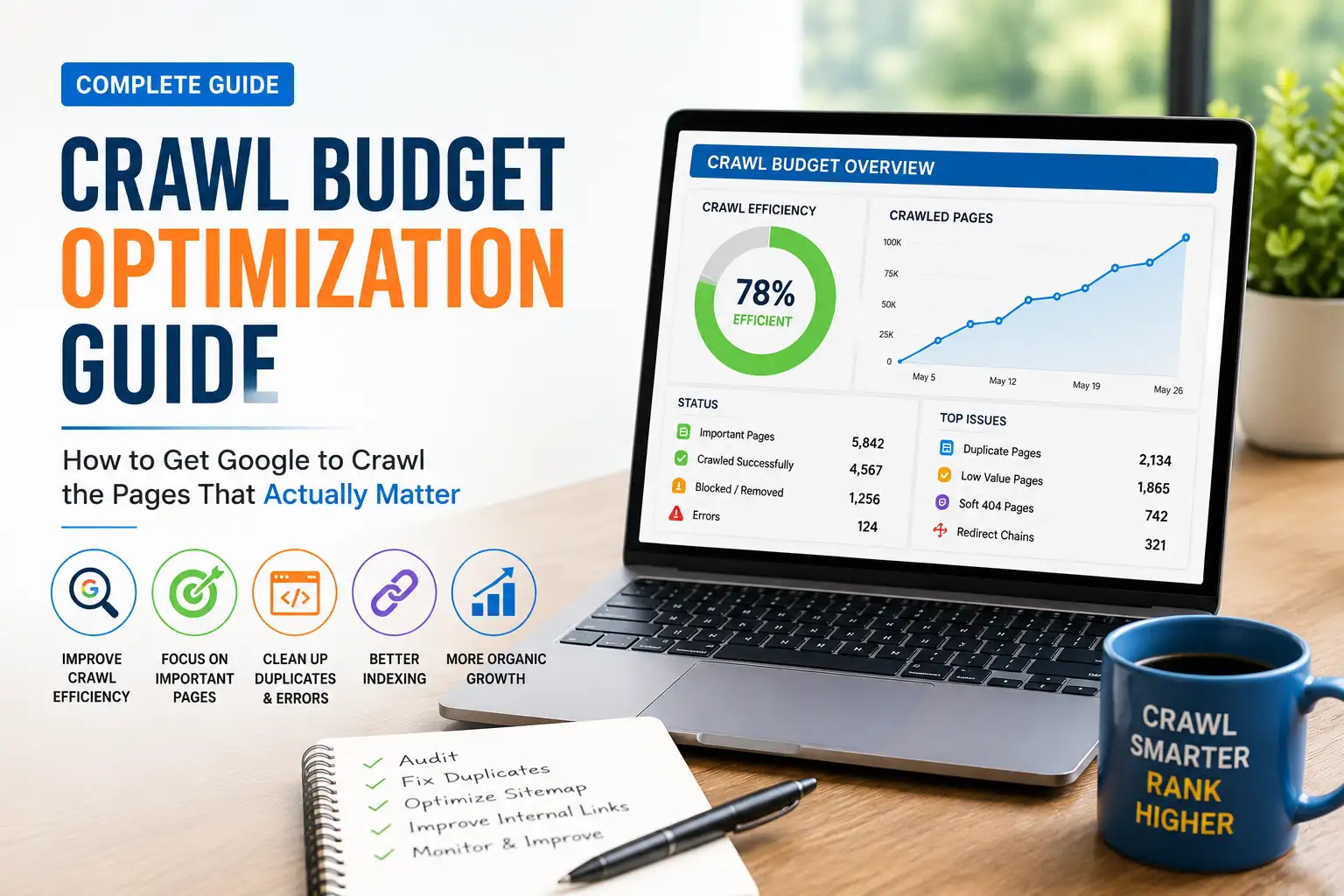
Crawl budget optimization means helping Google crawl and index your important pages efficiently, without wasting resources on low-value URLs. It mainly matters for large sites – generally 10,000+ pages that update daily, or over 1 million total pages – where inefficient crawling can delay indexing of new or updated content for weeks.
If your site is small and new pages show up in Google within a few days, you can stop reading right here. This guide is for the rest of you: sites where Googlebot seems to spend its time on the wrong pages while your best content sits unindexed.
We’ll walk through exactly how Google decides what to crawl, how to diagnose where your crawl budget is being wasted, and how to fix it – including a few things most guides skip entirely, like what happens at the hostname level, how AI crawlers factor into the picture in 2026, and what to do if Google is actually crawling you too aggressively.
Everything here reflects real audit work across large e-commerce catalogs, publisher sites, and SaaS platforms – not a copy-paste of Google’s own documentation with different wording.
What Is Crawl Budget (and Do You Actually Need to Worry About It)?
Crawl budget is the set of URLs Google can and wants to crawl on your site within a given period. It’s made up of two separate things working together: how much Google can crawl without straining your server, and how much it wants to crawl based on your content’s value.
Crawl Capacity Limit vs. Crawl Demand
Crawl capacity limit (sometimes called hostload) is the technical ceiling – how many simultaneous connections Google will hold open with your server. Every site starts with the same conservative default, and Google adjusts it up or down based on how your server responds over time.
Crawl demand is the interest side of the equation. It’s driven by three things Google explicitly tracks: perceived inventory (how many URLs Google thinks exist on your site), popularity, and staleness – how often your content actually changes and needs a fresh crawl.
Both factors have to align. A fast server with boring, rarely-updated content won’t get crawled much beyond the surface. Valuable, frequently-updated content on a slow server gets crawled cautiously and incompletely.
The Site-Size Thresholds That Actually Matter
Google’s own guidance is specific here, and it’s worth taking literally: this topic mainly applies to large sites with 1 million or more pages that change at least weekly, or medium-to-large sites with 10,000+ pages that change daily. A third category matters too – any site showing a large share of pages as “Discovered – currently not indexed” in Search Console, regardless of total page count.
If none of those describe your site, your time is better spent on content quality and basic technical SEO than on crawl budget specifically.
A Quick Self-Diagnostic – Do You Have a Crawl Budget Problem?
Before spending hours on this, run through these four questions honestly:
- Does your site have 10,000+ pages, or 1 million+ pages updated at least weekly? If no, crawl budget is unlikely to be your bottleneck.
- Do new or updated pages take longer than a week to appear in search results? If pages typically show up within a few days, your crawl budget is probably fine.
- Does your Search Console Page Indexing report show a large share of pages as “Discovered – currently not indexed”? This is the single strongest technical signal of an actual crawl budget issue.
- Do you run faceted navigation, infinite filters, or large amounts of dynamically generated URLs (e-commerce, marketplaces, large content archives)? These generate the URL bloat that most commonly drains crawl budget.
If you answered yes to question 3 alongside either question 1 or question 4, you have a genuine crawl budget problem worth solving. If you only answered yes to question 4, you likely have a URL management problem that will become a crawl budget problem as your site scales – worth fixing proactively.
Does Crawl Budget Directly Affect Rankings?
This is one of the most misunderstood parts of this whole topic, and it deserves a direct answer.
The Indexing-Gate Explanation
No, crawl budget is not a ranking factor. Google doesn’t rank a page higher because it gets crawled more often. But crawl budget controls something rankings absolutely depend on: whether a page gets indexed at all.
The chain works like this: if Google doesn’t crawl a page, it can’t evaluate it. If it can’t evaluate it, it won’t index it. If it’s not indexed, it cannot appear in search results, no matter how good the content is. Crawl budget doesn’t boost rankings directly – it decides whether your pages even get a chance to compete for them.
How Crawl Budget Connects to Page Authority and Internal Link Equity
There’s a well-documented relationship between a page’s authority – essentially how much link equity it accumulates, both from external backlinks and internal linking – and how often Google bothers to crawl it. Pages with strong internal linking and real backlink signals get recrawled more frequently because Google has more reason to believe they’re worth revisiting.
This is why a page buried deep in your site architecture with few internal links pointing to it often gets crawled rarely, even if the content itself is excellent. The crawl frequency problem isn’t really about the page – it’s about how well-connected that page is within your site’s link structure.
How Does Google Actually Decide What to Crawl?
Crawl Capacity – The Technical Limit
Google calculates your crawl capacity limit primarily from crawl health: consistent response times, stable latency, and low error rates push the limit up. Slow responses, timeouts, or a spike in 5xx server errors or HTTP 429 rate-limiting responses push it back down immediately.
This is a live, adaptive system – Google is constantly recalculating based on how your server behaves in real time, not setting a fixed number once and forgetting about it.
Crawl Demand – Perceived Inventory, Popularity, and Staleness
Perceived inventory is the factor you control the most. Without guidance from you, Google tries to crawl every URL it discovers. If a large share of those URLs are duplicates, low-value, or irrelevant, that’s crawl time wasted that could have gone toward pages that matter.
Popularity and staleness round out the picture – URLs with strong backlinks or high traffic get recrawled more to stay fresh in Google’s index, and content that genuinely changes often earns more frequent revisits than static pages.
Why Crawl Budget Is Managed at the Hostname Level, Not Domain Level
This detail changes how you should think about your entire technical architecture, and it’s genuinely underused.
Google’s crawling infrastructure defines a “site” as a unique hostname, not a full domain. That means www.example.com and images.example.com are treated as completely separate sites with separate crawl budgets. Google has confirmed this explicitly in its own crawling documentation.
Here’s why that matters in practice: if you’re hosting large, rarely-changing static assets – product images, video files, PDF catalogs, JavaScript bundles – on your main domain, every one of those files competes for the same crawl budget as your actual content pages.
Move those assets to a separate subdomain or a CDN with its own hostname, and you effectively give them their own crawl budget pool, freeing up your main hostname’s budget entirely for content that actually needs to rank. A common real-world example:
- Before: https://www.example.com/assets/hero-video.mp4
- After: https://cdn.example.com/hero-video.mp4
That single architectural change means Googlebot can skip re-crawling heavy, unchanging media files under your main hostname and spend that time on your product pages, category pages, and blog content instead. For large e-commerce and media sites, this is one of the highest-leverage, lowest-effort fixes available.
How Do You Diagnose Crawl Budget Issues?
You need two data sources here, and they answer different questions: Search Console shows patterns, server logs show ground truth.
Reading the Google Search Console Crawl Stats Report
Find this under Settings → Crawl Stats. Look at three things specifically: total crawl requests over time (sudden spikes often mean Google is overcrawling duplicate or low-value pages; sudden drops often mean Google is losing confidence in your server), the host status section (checking robots.txt fetch success, DNS resolution, and server connectivity), and the crawl requests breakdown by response code, file type, and crawler type.
In that breakdown, HTML should dominate the “by file type” view. If CSS, JS, or JSON files are consuming a disproportionate share, your core content is competing for attention against resources that don’t need to rank.
What Each HTTP Status Code Costs Your Crawl Budget (and What Doesn’t)
This is a detail almost nobody explains clearly, and it directly affects how you should prioritize fixes.
| Status Code Range | Consumes Crawl Budget? |
| 1xx (Informational) | No |
| 2xx (Success) | Yes |
| 3xx (Redirect) | Yes |
| 4xx (Client Error) – except 429 | No |
| 429 (Too Many Requests) | Yes |
| 5xx (Server Error) | Yes |
This table has real practical implications. A large batch of ordinary 404 errors, while bad for user experience and worth cleaning up, doesn’t actually drain your crawl budget the way a redirect chain or a wave of 5xx server errors does. If you’re prioritizing fixes under time pressure, redirect chains and server errors deserve attention first – they’re actively consuming the budget you’re trying to protect, while plain 404s mostly just waste a crawl attempt without compounding the problem further.
Server Log File Analysis – The Ground Truth
Search Console gives you sampled patterns over roughly a 90-day window. Your server logs show every single crawl event – exact URL, exact timestamp, exact status code returned. If you want to know precisely how Googlebot is behaving on your site, this is the only fully reliable source.
Pull logs from your hosting provider or CMS (Apache or NGINX formats both work fine), then filter for Google’s confirmed crawler IP ranges to rule out spoofed bots claiming to be Googlebot.
Segmenting Your Analysis: Overcrawled, Undercrawled, and Misaligned Priorities
Once you have log data, sort your findings into three buckets. Overcrawled pages are low-value URLs – search result pages, filter combinations, pagination – eating up disproportionate crawl attention. Undercrawled pages are your actual money pages getting visited far less often than their importance warrants. Misaligned priorities show up when Googlebot spends more time fetching images, CSS, JS, or API endpoints than your actual HTML content.
Finding even one of these three patterns is a clear sign your crawl budget isn’t being spent where it should be.
What Wastes Crawl Budget the Most?

Duplicate Content and URL Parameters
Every URL variant of the same content – http:// vs https://, www vs non-www, trailing slash vs. no trailing slash – forces Google to crawl multiple versions of one page. Missing redirects between these variants can quietly double or quadruple the URLs Google has to work through for identical content.
URL parameters used for sorting, filtering, or session tracking create the same problem at a much larger scale, especially on e-commerce sites where a handful of filters can generate thousands of near-identical URL combinations.
Faceted Navigation and Infinite Spaces
Faceted navigation – filtering products by color, size, price range – is a legitimate user feature that becomes a crawl budget disaster when every filter combination gets its own crawlable URL. A category page with five filter types and multiple options each can mathematically generate thousands of parameter combinations, nearly all of them showing the same core inventory in a slightly different order.
Infinite spaces are the extreme version of this – content that can generate a technically unlimited number of URLs, like a calendar with a permanent “next month” link, or unbounded pagination on user-generated content.
Redirect Chains and Loops
Every redirect hop is a separate request Google has to make before reaching your actual content. A chain of three or four redirects effectively multiplies the crawl cost of reaching a single page. Redirect loops are worse still – Google will follow a limited number of hops before giving up entirely, meaning the destination page may never get crawled at all.
Soft 404s and Broken Links
A soft 404 happens when a page that no longer has real content still returns a normal 200 status code instead of an honest 404. Google keeps recrawling these pages indefinitely because nothing tells it to stop, quietly draining budget with zero payoff.
Regular broken internal links create dead ends in the same way – Google follows the link expecting content and finds nothing, wasting a crawl request that could have gone toward a real page.
JavaScript’s Hidden Crawl Budget Cost
This is genuinely underexplained across most crawl budget resources, and it matters more every year as sites lean further into JavaScript frameworks.
Simple HTML pages need just two steps to get indexed: crawl, then index. Pages built with heavy client-side JavaScript need a third step in between: crawl, render, then index – sometimes called two-wave indexing. Google has to fetch the page, execute the JavaScript to see the actual content, and only then evaluate it for indexing.
That extra rendering step is expensive. It consumes noticeably more of your crawl budget per page than static HTML does, and it can significantly delay indexing – non-JavaScript elements often get indexed in the first pass, while JavaScript-generated content waits for a second, separate rendering pass that may not happen for days or weeks on a large site.
If your site relies heavily on JavaScript for core content – not just interactive widgets, but the actual text and product data you want ranked – server-side rendering or static generation removes this extra cost entirely, since Google receives fully-formed HTML on the first request instead of needing a second rendering pass.
How Do You Optimize Crawl Budget Step by Step?
Clean Up Your URL Inventory With Robots.txt
Block genuinely low-value, unbounded URL patterns – internal search results, filter parameter combinations, session-tracking URLs – directly in robots.txt. This is the most direct lever you have over what Googlebot even attempts to crawl.
A word of caution worth repeating from Google’s own guidance: don’t use noindex for this purpose. Google still has to request a page to see the noindex tag, meaning you’ve spent the crawl budget anyway before Google drops it. Robots.txt disallow rules, by contrast, prevent the request from happening at all.
Fix Duplicate Content With Canonical Tags
Where you can’t eliminate duplicate URLs outright, canonical tags tell Google which version is the one worth indexing, consolidating ranking signals onto a single URL instead of splitting them across near-identical pages.
Return Real 404s and 410s, and Eliminate Soft 404s
For genuinely removed content, return an actual 404 or 410 status code – this is a clear, strong signal to Google to stop recrawling that URL. Check Search Console’s Page Indexing report for any pages flagged as soft 404s and fix the underlying cause, whether that’s thin content, a broken template, or incorrect error handling.
Implement HTTP 304 (Not Modified) Support
This is one of the most effective, least-implemented fixes available, and it’s directly named in Google’s own crawl budget guidance.
When Googlebot requests a page it has crawled before, your server can check whether the content has actually changed since the last visit. If nothing changed, returning an HTTP 304 Not Modified response tells Google to reuse its cached version instead of re-downloading and re-processing the entire page.
In practice, this means implementing conditional GET requests on your server: checking the incoming If-Modified-Since or If-None-Match header against your content’s actual last-modified date or ETag value, and returning a lightweight 304 response instead of the full page when nothing has changed. Most modern web servers and frameworks support this natively – Nginx, Apache, and popular CMS platforms typically just need the caching headers configured correctly rather than custom code written from scratch. For a site with thousands of largely-static pages, this single change can meaningfully cut the bandwidth and processing time Google spends per crawl, freeing up capacity for pages that actually did change.
Keep Your XML Sitemap Lean and Accurate
Your XML sitemap should list only canonical, indexable, 200-status URLs – nothing redirected, nothing noindexed, nothing duplicated. Include accurate <lastmod> dates so Google can prioritize genuinely updated content, and consider splitting large sitemaps by content section so you can spot indexing problems in specific parts of your site quickly.
Strengthen Internal Linking to Priority Pages
Google relies heavily on internal links to discover and prioritize content. Link to your most important pages from high-authority sections of your site – your homepage, top navigation, and your best-performing existing content – and keep priority pages within roughly 3-4 clicks of your homepage.
Orphan pages – pages with zero internal links pointing to them – are nearly invisible to crawlers no matter how good the content is. Audit for these specifically and either link to them meaningfully or reconsider whether they need to exist.
How Do You Increase Your Overall Crawl Budget?

Improving Server Performance and Response Times
Faster, more stable server responses directly increase your crawl capacity limit over time. Upgrading hosting, implementing effective caching, using a CDN, and optimizing database queries all reduce the load each crawl request places on your server – giving Google more confidence to crawl more aggressively.
Building Authority and Popularity Signals
Real backlinks, strong internal linking, and genuine user engagement all signal to Google that a site is worth spending more crawl attention on. This isn’t something you can shortcut – it’s the same fundamental SEO work that drives rankings, which also happens to increase how much Google wants to crawl you.
Keeping Content Genuinely Fresh
Google prioritizes recrawling content that actually changes in meaningful ways – not cosmetic timestamp updates, but real content improvements. Pages that get genuinely refreshed periodically earn more frequent recrawls than pages left untouched for years.
What If Google Is Crawling Your Site Too Aggressively?
This is the reverse problem, and it’s rare enough that most guides skip it entirely – but when it happens, it can genuinely hurt your site.
Signs of Overcrawling
Watch for a sudden, sharp spike in crawl requests in either your Search Console Crawl Stats report or your server logs, especially if it coincides with server slowdowns, increased error rates, or actual site instability for real visitors. This can happen after a large site migration, a sudden viral traffic event that changes your perceived popularity, or in rare cases, a misconfigured crawler treating your site more aggressively than intended.
Using 503/429 to Signal Google to Back Off
If overcrawling is genuinely straining your server, you can intentionally serve 503 (Service Unavailable) or 429 (Too Many Requests) responses to Googlebot for a short period – typically a day or two. This signals Google to reduce its crawl rate without damaging your long-term crawl patterns or indexing status once you remove the signal.
This should be a temporary, deliberate measure, not a permanent fix – leaving these responses in place too long will eventually cause Google to conclude your site is unreliable and pull back its crawl demand more broadly.
Do AI Crawlers Affect Your Crawl Budget Too?
This is a genuinely new consideration that most crawl budget guidance hasn’t caught up to yet, and it’s worth understanding now rather than after it becomes a problem.
GPTBot, OAI-SearchBot, and Other AI Crawlers vs. Googlebot
AI crawlers – GPTBot, OAI-SearchBot, Google-Extended, ClaudeBot, and others – are separate bots from Googlebot, and they don’t share Google’s crawl budget calculations. But they absolutely do share your server’s actual physical resources.
Even though Google’s crawl capacity limit is calculated independently per crawler demand, your server only has so much genuine bandwidth and processing capacity at any given moment. A surge in AI crawler traffic hitting your site alongside Googlebot’s normal activity can strain your server the same way any traffic spike would – and a strained server responding slowly to Googlebot directly reduces your Google crawl capacity limit, even though the AI crawler technically operates under a completely separate system.
Managing AI Crawler Access Without Hurting Google’s Crawl Budget
Treat AI crawler governance as a distinct decision from your Googlebot crawl budget strategy, but monitor the combined server load both create together. Use robots.txt to explicitly allow or disallow specific AI crawlers based on your actual preference – training-data bots versus real-time retrieval bots often warrant different decisions, since one affects future AI model training and the other affects whether your content shows up in live AI-generated answers today.
If your server logs show AI crawler traffic contributing meaningfully to server strain, treat it with the same seriousness as any other traffic source consuming your crawl capacity – because from your server’s perspective, a request is a request regardless of which bot sent it.
Common Crawl Budget Mistakes That Make Things Worse
Using Noindex Instead of Robots.txt Disallow
A noindex tag still requires Google to fully request and process the page before it can see the tag and drop it – you’ve spent the crawl budget you were trying to save. For pages you genuinely don’t want crawled at all, robots.txt disallow rules are the correct tool.
Blocking Pages to “Temporarily” Free Up Budget
Google’s own guidance is explicit on this point: blocking pages in robots.txt doesn’t automatically reallocate that freed-up budget to other pages, unless you’re already hitting your crawl capacity limit. Use robots.txt for pages you never want crawled, not as a short-term lever to redirect attention elsewhere.
Ignoring Hostname-Level Budget on Subdomains
Treating your main domain and its subdomains as sharing one unified crawl budget is a common misunderstanding. Since Google calculates budget per hostname, a bloated, poorly-managed subdomain won’t drain your main site’s budget directly – but it also means optimizing your main domain alone won’t fix crawl issues happening on a separate subdomain that needs its own attention.
Your Crawl Budget Optimization Action Plan (7 Steps)
- Run the self-diagnostic from earlier in this guide to confirm crawl budget is actually your bottleneck before investing significant time.
- Pull your Crawl Stats report and server logs to establish a real baseline of how Googlebot currently behaves on your site.
- Identify your biggest waste source – duplicate URLs, faceted navigation, redirect chains, or JavaScript rendering delays – using the status-code table and log segmentation covered above.
- Implement robots.txt and canonical fixes for the highest-impact waste sources first, starting with anything actively consuming budget rather than passive 404s.
- Configure HTTP 304 support and clean up your XML sitemap to make every crawl request more efficient.
- Strengthen internal linking to your priority pages, checking specifically for orphan pages and excessive click depth.
- Re-check your Crawl Stats report after 4-6 weeks to confirm crawl patterns have actually shifted toward your important content.
FAQ
Does crawl budget affect my rankings directly?
No, crawl budget is not itself a ranking factor. But it directly controls whether your pages get indexed in the first place, and a page that isn’t indexed cannot rank at all – so the effect on your visibility is very real, even though it’s indirect.
How many pages does my site need before crawl budget matters?
Google’s general guidance points to sites with 1 million or more pages updated at least weekly, or 10,000+ pages updated daily, as the sites where this genuinely matters. A large share of pages showing as “Discovered – currently not indexed” in Search Console is an equally strong signal, regardless of your total page count.
How long does it take Google to crawl a new page?
There’s no fixed timeline. New sites can take days to weeks for their first crawl, established high-authority pages are often crawled within hours to a few days, and lower-priority pages on any site may wait weeks or months between crawls. Strong internal linking and site authority both speed this up.
Can blocking pages in robots.txt increase crawl budget for other pages?
Not automatically. Google has confirmed that freed-up crawl budget from blocked pages only gets reallocated elsewhere if your site is already hitting its crawl capacity limit. Robots.txt is best used for pages you never want crawled, not as a short-term tactic to redirect attention to other URLs.
How often should I check my crawl budget?
For large sites where this genuinely applies, checking your Search Console Crawl Stats report monthly is a reasonable baseline, with a deeper log file review after any major site change – a migration, a new JavaScript framework, or a significant content expansion. Smaller sites can check quarterly or simply monitor for indexing delays as they arise.
The Bottom Line on Crawl Budget Optimization
Crawl budget optimization isn’t about tricking Google into visiting more often. It’s about removing the noise – duplicate URLs, broken paths, unnecessary rendering steps – so the crawl attention Google is already willing to give you lands on the pages that actually deserve it.
Start with the self-diagnostic, confirm this is genuinely your problem, then work through the waste sources in order of actual budget consumption rather than whatever feels most urgent. The status-code table and hostname-level thinking covered here matter more than most guides admit.
Revisit this work periodically as your site grows. A crawl budget strategy that works at 10,000 pages needs real attention again once you cross 100,000 – this isn’t a project you finish once and forget.