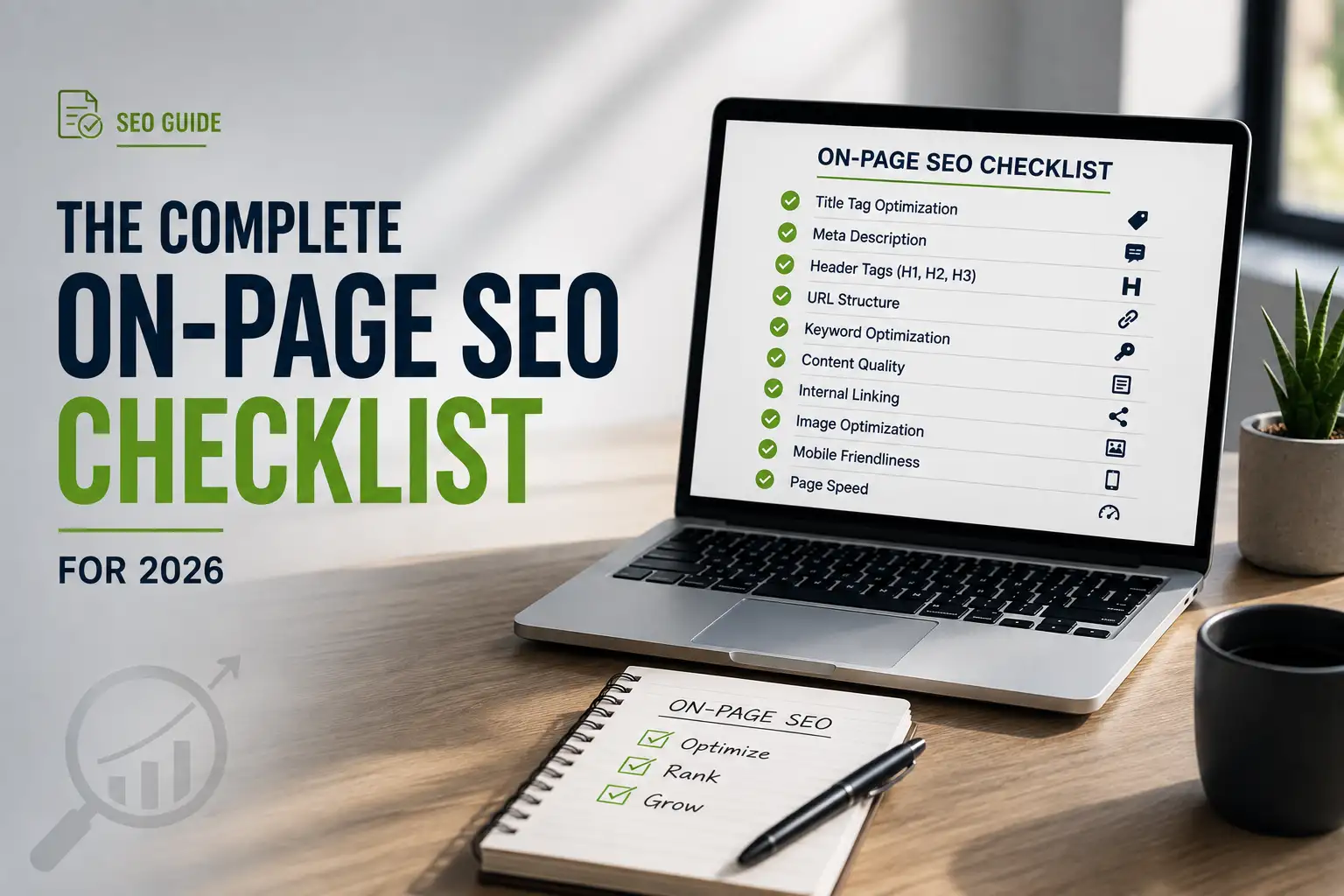
An on-page SEO checklist for 2026 covers title tags under 60 characters with the keyword near the front, a single keyword-led H1, a logical heading hierarchy, the target keyword inside the first 100 words, internal linking, schema markup, and direct-answer formatting so AI Overviews and traditional search can both extract and cite the page.
That’s the short version. The long version – the one that actually moves rankings and gets you cited by ChatGPT, Gemini, and Google’s AI Overviews – takes a bit more explaining. Grab a coffee. We’ll walk through every piece, in order, with nothing skipped.
On-page SEO is every change you make directly on a webpage – its title tag, headings, content, images, internal links, and code – to help both search engines and AI systems understand and rank it. It’s different from off-page SEO (backlinks, brand mentions) and technical SEO (crawlability, site speed at scale), though all three overlap.
This checklist is built for 2026 specifically. That means it covers the traditional ranking factors that still matter, plus the newer requirements for agentic search – the way AI tools now search the web, read multiple sources, and generate an answer instead of just handing you ten blue links.
What Is On-Page SEO, and Why Does It Matter for AI Search in 2026?
On-page SEO is the set of optimizations you control directly on a page: your title tag, your headings, your body copy, your internal links, your images, and your schema markup.
Here’s why it matters more in 2026, not less. When someone searches Google, Bing, or asks ChatGPT a question, the system doesn’t just match keywords anymore. It uses a process called query fan-out – breaking one search into several related sub-questions, then pulling in pages that answer each piece.
If your page thoroughly covers the topic and its natural sub-topics, you show up for more of that fan-out. If it only answers the headline question and nothing else, you get skipped for everything adjacent.
In our audits, pages that lead each section with a direct, one-sentence answer consistently get pulled into AI Overviews more often than pages that bury the answer in the third paragraph. That single habit – answer first, explain second – is probably the highest-leverage change in this entire checklist.
The upside works both ways. Good on-page SEO for AI Overviews and Answer Engine Optimization (AEO) is, for the most part, just good on-page SEO for Google. You’re not choosing between the two.
How to Research Keywords and Search Intent Before You Optimize
You can’t optimize a page for a keyword nobody’s actually searching, and you can’t rank for a keyword that doesn’t match what your page delivers. Start here before you touch a single heading.
Search Intent Types: Informational, Navigational, Commercial, Transactional
Every search query falls into one of four buckets:
- Informational – the person wants to learn something (“what is a title tag”)
- Navigational – they’re looking for a specific site or brand (“Semrush login”)
- Commercial – they’re comparing options before buying (“best on-page SEO tools”)
- Transactional – they’re ready to act (“buy SEO audit service”)
Match your content format to the intent. An informational query wants a clear explanation. A transactional query wants a fast path to conversion, not a 3,000-word essay.
Mismatched intent is one of the most common reasons a well-written page still doesn’t rank. If Google’s top 10 results are all product pages and yours is a blog post, you’re fighting the SERP instead of matching it.
Placing Your Keyword: Title, H1, First 100 Words, Subheadings
Once you’ve confirmed intent, place your primary keyword in these four spots:
- Title tag – near the front, not buried at the end
- H1 – once, clearly
- First 100 words – so both readers and AI crawlers get instant context
- A handful of subheadings – where it fits naturally, not every single one
Round out the page with related terms and synonyms – what’s often called LSI keywords – so the content reads naturally and covers the topic’s full vocabulary instead of repeating one phrase mechanically.

Title Tag Optimization Checklist
Your title tag is the first thing a person (or an AI model) sees. Get it wrong, and nothing else on this checklist matters, because no one clicks through.
Character and Pixel Limits, and Keyword Front-Loading
Keep your title tag under 60 characters, or roughly 600 pixels. Go longer and Google will often rewrite it – sometimes with something less compelling than what you wrote.
Put your primary keyword near the start. Search engines and AI summarizers both weight the first few words more heavily than the last few, and human readers scan the same way.
Skip the keyword stuffing. One clean instance of your target phrase, written like a human wrote it, beats three awkward repetitions every time.
Testing Click-Appeal Titles: Question Formats and Emotional Hooks
Here’s a lever most on-page checklists skip entirely: title format, not just title content.
A question-format title (“What’s Actually on an On-Page SEO Checklist for 2026?”) can outperform a flat statement title in click-through rate, because it mirrors how people actually phrase their search – and how they phrase questions to AI chatbots.
An emotional or curiosity hook works the same way. Compare “On-Page SEO Checklist” to “The On-Page SEO Checklist Most Sites Get Half Right.” The second one implies a gap the reader needs to close, which is a stronger click trigger.
Test both formats if you can. Run a statement-style title against a question-style title for the same page over a few weeks and watch your click-through rate in Search Console. The winner isn’t always the one you’d guess.
Meta Description Best Practices
Your meta description isn’t a direct Google ranking factor, but it’s the ad copy for your organic listing – and it’s frequently what AI tools like Perplexity quote when citing your page.
Keep it under about 155 characters so it doesn’t get cut off on mobile. Include your primary keyword naturally, since search engines often bold matching terms, which draws the eye.
Tell the reader exactly what they’ll get. “Learn the 2026 on-page SEO checklist” is fine. “Discover everything you need to know” is not – it’s vague, and vague doesn’t earn clicks.
Add a light call-to-action: learn, get, check. Skip pushy phrases like “click here,” which read as filler to both users and quality-rating systems.
URL Slug Structure: What to Include (and Leave Out)
Your URL slug is a small ranking signal, but it’s an easy one to get right – and an easy one to get permanently wrong if you’re not careful.
Why Dates and Numbers Still Hurt Evergreen URLs
It sounds counterintuitive for an article titled “2026,” but keep the year out of the actual URL. Use /on-page-seo-checklist/, not /on-page-seo-checklist-2026/.
A dated URL looks stale the moment the calendar flips. It also forces an awkward choice later: update the content but keep an outdated URL, or change the URL and lose whatever ranking history it built up.
Keep the slug short, descriptive, and hyphen-separated. Skip filler words like “and,” “the,” and “a.” If you ever do need to change a slug, set up a permanent 301 redirect from the old URL so you don’t lose the page’s equity.
Header Tag Hierarchy: Getting H1, H2, and H3 Right
Headings aren’t just visual dividers. They’re the outline that tells both readers and machines how your content is organized.
The One-H1 Rule and Logical Nesting
Use exactly one H1 per page, and make it describe the whole page accurately. Use H2s for your major sections and H3s for the subpoints inside them – don’t skip from H2 straight to H4.
Think of your headings as a table of contents. If someone read only your headings, they should understand the full shape of the article.
Do Header Tags Actually Affect Rankings? What the Studies Show
Here’s an honest answer most checklists avoid: heading tags alone are not a strong direct ranking factor. Google has said as much, and independent testing backs it up – a page with zero H1 tags and a page with five can both rank fine if the content itself is solid.
So why bother? Because headings still drive three things that do matter: readability, the odds of winning a featured snippet, and how easily an AI model can lift a self-contained answer out of your page. A clean structure is a user experience win first and an SEO win second – but it’s still a win.
Don’t skip headers because “they don’t move rankings directly.” Skip that thinking instead. A well-organized page keeps people reading longer, and that behavioral signal matters more than the heading tag itself.
There’s a second reason headings matter more in 2026 than the raw ranking-factor data suggests: they’re the scaffolding AI extraction tools use to find a passage worth quoting. A model summarizing search results doesn’t read your whole page top to bottom – it scans headings first, then dips into the section that looks most relevant. A vague heading like “More Information” gets skipped. A specific one like “How Many Internal Links Per Page” gets read.
How to Structure Content So AI Overviews Can Extract It
This is the section most 2026 checklists still treat as an afterthought, and it’s arguably the most important one here.
Direct-Answer Formatting: Lead Every Section With the Answer
Every H2 and H3 on this page should be answered in its first sentence. Not the second sentence, not after a paragraph of throat-clearing – the first sentence.
If your heading is “How much does X cost,” your first line should be a number or a range, not a story about why pricing varies. Save the nuance for after the direct answer.
This single formatting habit is what lets an AI system lift a clean, accurate passage out of your page and cite it – instead of skipping you for a competitor who answers faster.
Self-Contained Sections and Paragraphs
Write each section so it makes sense on its own, without requiring someone to have read everything above it. AI systems often extract individual passages, not whole articles, so a section that depends on earlier context won’t get pulled cleanly.
Keep paragraphs to two or three sentences. Long blocks of text are harder to scan and harder for an extraction model to isolate as a clean answer.
Query Fan-Out and Topical Coverage
Remember the sub-question idea from earlier? This is where you act on it. For a keyword like “on-page SEO checklist,” the fan-out includes things like “how long should a title tag be,” “what is schema markup,” and “does alt text affect rankings.”
Cover those adjacent questions inside your existing sections instead of ignoring them. Every sub-question you answer is another chance to get pulled into an AI-generated response.
Internal Linking Checklist
Internal links connect your pages to each other. They help visitors find more of your content, and they help search engines understand which pages on your site matter most.
How Many Internal Links Per Page? A Practical Benchmark
There’s no magic number, but pages with a healthy internal link count – generally somewhere in the range of a few dozen relevant, natural links on a comprehensive page – tend to get more organic clicks than pages with just two or three.
The quality of the anchor text matters as much as the count. Descriptive anchors (“read our schema markup guide”) give both readers and search engines more context than generic ones (“click here”).
Link to pages that are genuinely relevant. Don’t force a link just to hit a quota – a handful of well-placed, useful links beats a wall of unrelated ones.
Add outbound links too. Pointing to two or three high-quality, authoritative external sources per page can strengthen the perceived credibility of your own content, as long as those sources are genuinely relevant.
Image and Alt Text Optimization
Images make a page more engaging, but they also carry real technical weight if you don’t optimize them.
Compression, Modern Formats, and Lazy Loading
Compress every image before uploading it. A single uncompressed screenshot can add a full second to your load time, and that second costs you both rankings and readers.
Use modern formats like WebP, which are typically 25–30% smaller than JPEG at the same visual quality. Add lazy loading for images below the fold so the page doesn’t wait on content the visitor hasn’t scrolled to yet.
Does Alt Text Really Move Rankings?
Here’s another honest answer: alt text is a confirmed ranking factor for Google Image Search, but its effect on regular web rankings is weak to negligible on its own. Controlled testing on this exact question has found little to no measurable lift in organic traffic from adding alt text alone.
That doesn’t mean skip it. Alt text is essential for accessibility – screen readers depend on it – and it still helps Google understand what an image shows. Write it for the person using a screen reader first, and treat any ranking benefit as a bonus, not the goal.
Schema Markup Checklist for On-Page SEO
Schema markup is code added to your page that spells out exactly what’s on it – this is an article, this is a product, this is an FAQ. It won’t single-handedly boost your ranking position, but it changes how your listing looks and who cites you.
Article, FAQ, Product, LocalBusiness, and Review Schema – What Each Does
- Article schema – tells search engines this is a blog post or news piece, with an author, publish date, and headline
- FAQ schema – turns question-and-answer content into an expandable rich result directly in the SERP
- Product schema – surfaces price, availability, and ratings for ecommerce pages
- LocalBusiness schema – adds address, hours, and contact details for local search
- Review schema – displays star ratings next to your listing
FAQ schema in particular tends to produce a noticeably higher click-through rate than a standard blue-link result, because the expandable answers take up more visual space in the SERP.
Turning PAA Questions Into an FAQ Schema Block
Here’s the workflow most guides skip: don’t invent FAQ questions from thin air. Pull real “People Also Ask” questions from the actual SERP for your target keyword, plus the related searches at the bottom of the results page.
Answer each one in two to three direct sentences – schema markup rewards concise, literal answers over marketing copy. Then mark up that block with FAQ schema so it’s eligible to display as a rich result.
This does double duty. It’s an FAQ schema opportunity for Google, and every question-and-answer pair is also a clean, citable unit for an AI system pulling together a summarized answer.
A few implementation rules worth following closely:
- Only mark up content that’s actually visible on the page. Schema describing hidden or absent content violates Google’s structured data guidelines and can get your rich results disabled sitewide, not just on that one page.
- Validate before you publish. Run the markup through Google’s Rich Results Test, not just a generic JSON-LD validator – it catches type-specific errors a general validator misses.
- Don’t over-mark. A page doesn’t need every schema type available. Pick the one or two that genuinely describe the content – usually Article plus FAQ for a guide like this one.
- Keep the FAQ answers evergreen. If an answer references a specific version number, price, or date, you’re signing up to update the schema every time that detail changes.
Done well, this section alone can be worth revisiting: pull a fresh batch of PAA questions for your target keyword every few months, since the questions Google surfaces shift as the SERP itself evolves.
Content Quality and E-E-A-T Checklist
Google evaluates content quality through the lens of E-E-A-T: Experience, Expertise, Authoritativeness, and Trustworthiness. AI systems lean on similar signals when deciding which sources to trust and cite.
Show real experience, not just research. A line like “in our testing, pages with a direct-answer first sentence got pulled into AI Overviews more consistently” reads differently than a generic restatement of best practices – because it demonstrates you’ve actually done the work.
Keep facts accurate and current. Check your numbers, fix outdated references, and cite real sources where you’re making a specific claim rather than a general observation.
Write for your actual audience. A page aimed at beginners should explain jargon the first time it appears. A page aimed at advanced practitioners can skip the basics and go straight to the nuance.
Avoid duplicating your own content across multiple pages, and avoid lifting structure or phrasing from competitor pages, even if you’re covering the same topic. Original angles and original examples are what E-E-A-T is actually measuring.

Page Speed and Core Web Vitals for On-Page SEO
Page speed sits at the intersection of on-page and technical SEO, and it directly shapes whether someone sticks around long enough to convert.
The three Core Web Vitals you need to know:
- Largest Contentful Paint (LCP) – how long the main content takes to load; aim under 2.5 seconds
- Interaction to Next Paint (INP) – how responsive the page feels when someone clicks or taps; aim under 200 milliseconds
- Cumulative Layout Shift (CLS) – how much the page jumps around while loading; aim under 0.1
Slow pages hurt you twice. They can quietly suppress your visibility, and they waste every bit of AI-driven traffic you earn – if someone clicks through from a cited AI answer and your page crawls, you lose the visit you just worked for.
Run your page through PageSpeed Insights, prioritize LCP first since it’s usually driven by unoptimized images or slow server response, and re-test after every fix.
On-Page SEO for GEO & AEO: Optimizing for ChatGPT, Gemini, and AI Overviews
This is the section that separates a 2023-era checklist from a genuinely current one. Generative Engine Optimization (GEO) and Answer Engine Optimization (AEO) aren’t separate disciplines from SEO – they’re on-page SEO applied to a new kind of reader: an AI model summarizing multiple sources.
Here’s what actually changes your odds of being cited:
- Answer first, always. AI summarizers pull short, self-contained passages. Bury the answer and you get skipped.
- Use precise, literal language. “It typically takes 2–4 weeks” is more extractable than “results can vary depending on several factors.”
- Structure with real hierarchy. Clean H2/H3s plus lists give a model clear boundaries to pull a passage from.
- Keep your robots.txt open to AI crawlers you want visiting. If OAI-SearchBot or PerplexityBot are blocked, you can’t be cited by those tools, no matter how good the content is – check your robots.txt directly.
- Back claims with real, checkable facts. AI systems increasingly favor sources they can partially verify against other sources; vague marketing language doesn’t verify well.
None of this requires abandoning traditional SEO. In practice, GEO and classic on-page SEO want the same thing: clear, well-structured, accurate content that answers a real question fast. Do that well, and you’re optimized for both a human skimming your page and a model summarizing it.
A Quick Test for GEO-Readiness
Try this on any page you’re publishing: copy just the first sentence under each of your headings and paste them into a plain document, with nothing else. Read it back.
If that stripped-down list reads like a coherent, useful mini-summary of the whole page, you’ve nailed direct-answer formatting. If it reads like disconnected fragments or throat-clearing (“There are several factors to consider…”), an AI summarizer is going to struggle to extract anything clean from your page – and it’ll move on to a competitor’s answer instead.
This is also a fast way to spot entity gaps. If your first-sentence summary never mentions the core concepts a reader would expect – schema markup, Core Web Vitals, search intent, and so on – that’s a sign the page is talking around the topic instead of through it.
One more thing worth tracking: which AI platforms are actually visiting your site. Server logs and tools like Search Console (for Google’s own AI features) can show you crawl activity from AI-specific user agents. If you’re publishing GEO-optimized content but seeing zero crawl activity from AI bots, the fix usually isn’t more content – it’s checking your robots.txt and firewall rules first.
How Often Should You Update a Page? A Content-Freshness Checklist
Search algorithms reward pages that stay current, particularly for topics – like this one – where best practices shift year to year.
A reasonable cadence is a full content review every 9 to 12 months for anything evergreen, and immediately after any major algorithm update or platform change relevant to your topic.
Updating isn’t just changing the year in the title. Refresh the statistics, replace outdated screenshots or examples, remove dead links, and add coverage for anything new in the space since your last pass.
Track which pages are aging out using your analytics – pages that were once top performers but have slid in traffic are your highest-priority refresh candidates, not brand-new content.
Downloadable/Interactive On-Page SEO Checklist
Reading a checklist and using a checklist are two different things. Turn everything above into something you’ll actually revisit.
Build a simple, checkable list – a spreadsheet, a Notion page, or a project-management board – with one row per item in this article: title tag, meta description, H1, heading hierarchy, keyword placement, internal links, alt text, schema type, Core Web Vitals pass/fail, and last-updated date.
Run every new page through it before publishing, and run your top 10 existing pages through it once a quarter. A checklist you use consistently beats a perfect checklist you read once and forget.
Common Mistakes to Avoid
Even experienced teams trip on the same handful of issues. Watch for these:
- Stuffing the keyword everywhere. One clean instance per key location beats five awkward ones.
- Skipping the direct answer. Burying your answer under three paragraphs of context is the single fastest way to lose an AI Overview citation.
- Multiple H1 tags on one page. Pick one, make it count.
- Dated URLs on evergreen content. You’ll regret it in twelve months.
- Schema markup that doesn’t match the visible content. Mismatched schema can get your rich results suppressed entirely.
- Ignoring Core Web Vitals until traffic drops. Test speed before you publish, not after rankings slip.
- Treating GEO as a separate project. It’s not extra work bolted onto SEO – it’s the same work, done with extraction in mind.
Strategic Action Plan: Your Next Steps

- Audit your top 10 pages first. Check title tags, H1s, and meta descriptions against the rules above before touching anything new.
- Fix direct-answer formatting. Rewrite the first sentence under every H2 and H3 so it actually answers the heading.
- Add or repair schema markup. Start with FAQ schema pulled from real PAA questions – it’s the fastest win on this list.
- Run a Core Web Vitals check. Prioritize LCP fixes on your highest-traffic pages.
- Confirm your robots.txt allows the AI crawlers you want. Check for OAI-SearchBot and PerplexityBot specifically.
- Set a quarterly content-freshness review. Put it on the calendar now, not “when you get time.”
- Build your checklist tracker. Use the framework above and apply it to every page you publish going forward.
On-Page SEO Checklist: FAQs
What is on-page SEO? On-page SEO is every optimization made directly on a webpage – title tags, headings, content, internal links, images, and schema markup – to help search engines and AI systems understand and rank it.
How long should a title tag be in 2026? Keep it under about 60 characters or 600 pixels. Longer titles are more likely to get rewritten by Google in the search results.
Does header tag structure affect rankings? Not strongly on its own, but clean headings improve readability, snippet eligibility, and how easily AI tools can extract a clean answer from your page.
Does alt text improve SEO rankings? It’s a confirmed factor for Google Image Search, but its effect on regular web rankings is weak. Add it for accessibility first, and treat any ranking benefit as secondary.
What’s the difference between SEO and GEO/AEO? GEO and AEO apply the same on-page SEO principles – clear structure, direct answers, accurate content – specifically to how AI models summarize and cite sources, rather than treating it as a separate discipline.
How often should I update an on-page SEO checklist? Review evergreen content every 9 to 12 months, and immediately after any major search or AI platform update that touches your topic.
The Bottom Line
On-page SEO in 2026 isn’t a different game than it was five years ago – it’s the same game with a second scoreboard. You’re still optimizing for a person searching Google. You’re now also optimizing for a model reading your page and deciding whether to cite it.
The good news: the habits that satisfy one satisfy the other. Answer questions directly. Structure your content so it’s easy to scan and easy to extract. Back your claims with real evidence. Keep the technical basics – speed, schema, clean URLs – in order.
Run through this checklist page by page, not all at once. A handful of pages done right will outperform a hundred pages rushed through half the list.
Want a professional audit instead of doing it page by page yourself? Marketing USA Agency can run this full checklist against your site and prioritize the fixes that will move the needle fastest.
1 thought on “The Complete On-Page SEO Checklist for 2026”
Comments are closed.